A shared folder may contain client names, project titles, internal documents, or filenames that reveal more than their contents suggest. Sending those names to an unrelated monitoring service can create a privacy problem even if the service never reads the files themselves.
Local monitoring avoids that extra disclosure, but it does not automatically provide accountability or history. Before choosing a tool, write down the exact question you need answered.
Define the monitoring goal
“What is changing right now?”
This is live observation. You are troubleshooting a sync, supervising an import, or waiting for a handoff. A temporary local timeline is a good fit because you need immediate awareness, not months of records.
“Who changed this file?”
This is attribution. Filesystem notifications on one workstation usually cannot answer it. You need identity-aware evidence from the file server, collaboration platform, or configured operating-system auditing.
“Can I restore the earlier version?”
This is recovery. Use version history, snapshots, or backups. A change log—even a perfect one—does not preserve file contents and cannot undo a deletion.
“Can I prove every change later?”
This is permanent auditing. It needs durable, protected records, retention rules, controlled access, and often centralized collection. An in-memory monitor is deliberately the wrong tool for this requirement.
Compare private monitoring methods
| Method | Best for | Persists? | Identifies user/process? |
|---|---|---|---|
| Local live folder monitor | Immediate troubleshooting and awareness | Depends on tool; Folderwatch does not | Usually no |
| Folder snapshots | Before-and-after comparison | Yes, if saved | No |
| Version control/history | Content differences and recovery | Yes | Often an account or commit author |
| Windows or server auditing | Security events and attribution | Yes | Can, when correctly configured |
| Backup or snapshots | Recovery and point-in-time state | Yes | Not usually the main purpose |
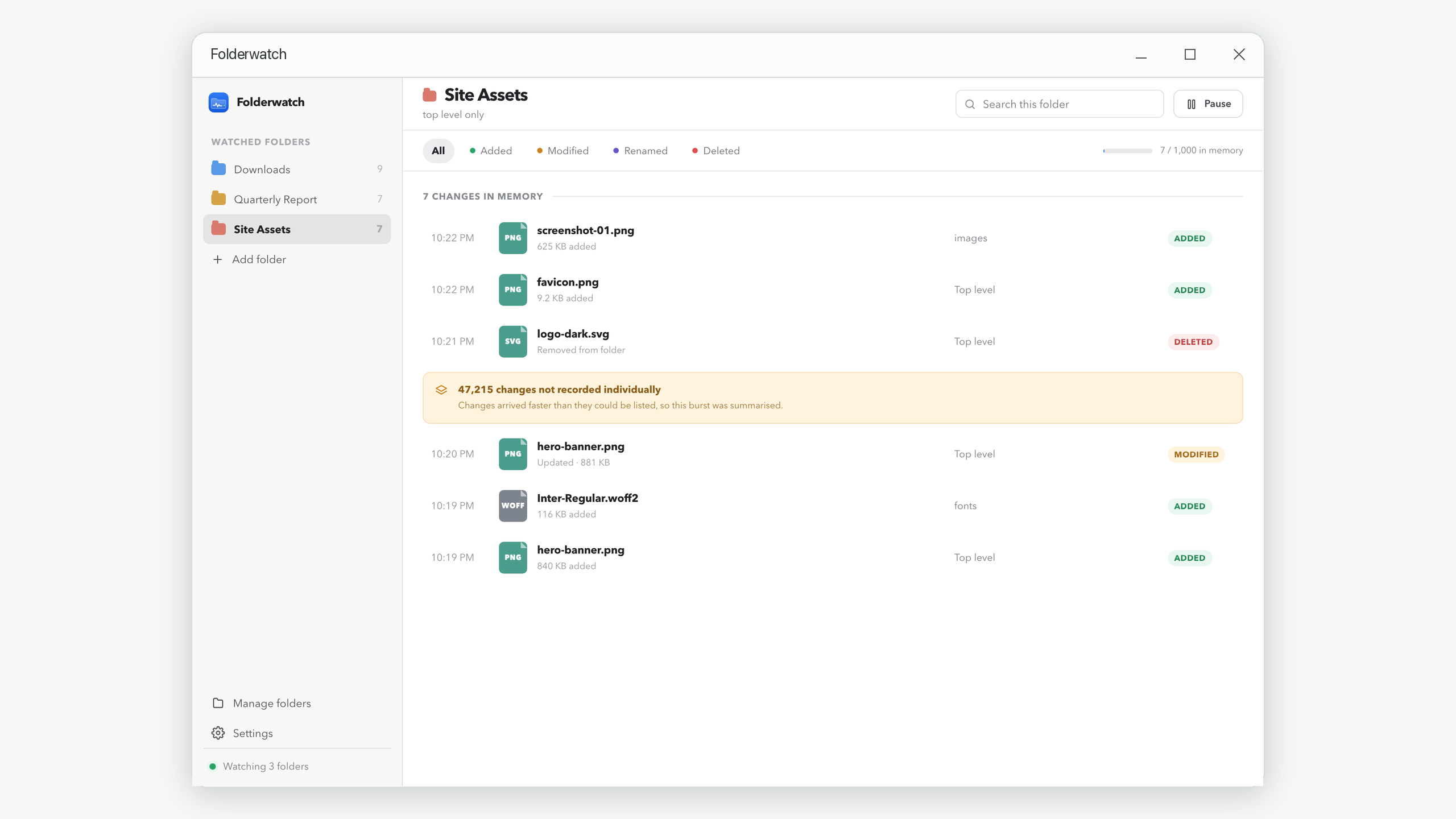
A privacy-first live monitoring workflow
- Confirm permission. Monitor only folders you own or are authorized to observe. Employee or collaborator monitoring can have legal and policy consequences.
- Limit the scope. Select the relevant shared folder, not the entire user profile or drive. Decide whether subfolders are necessary.
- Choose a short observation window. Start just before the expected handoff, sync, or automated job and stop once the question is answered.
- Avoid unnecessary retention. If you only need awareness, do not create a permanent export. If you do need a record, protect it according to the sensitivity of the filenames.
- Correlate rather than overclaim. Match event times to the server or sync platform’s identity-aware logs before attributing a change to a person.
- Close the loop. Record the conclusion, not an indiscriminate dump of unrelated activity.
Folderwatch fits this narrow live-observation role. It watches locally, keeps each folder’s recent activity in memory, and empties every timeline on exit. Its small on-device configuration remembers which folders to watch and your preferences, but it does not contain file activity.
Set privacy boundaries before monitoring
- Document who is allowed to watch the folder and for what purpose.
- Avoid folders with unrelated personal material.
- Treat filenames and paths as potentially sensitive data.
- Do not confuse local-only processing with automatic legal compliance.
- Use account-aware server logs when you need attribution.
- Use backups or version history when you need recovery.
- Tell affected people when policy or law requires notice.
For a business environment, consult the organization’s privacy, security, employment, and retention policies. The least invasive technically possible method may still be inappropriate if the monitoring itself is not authorized.
Choose the method that matches the question
Use a live local monitor when the question exists now and you want minimal retention. Use saved snapshots when only before-and-after state matters. Use version control or platform history when you need content differences and restoration. Use operating-system or server auditing when identity and durable evidence matter. Use backups for recovery.
Often the best setup combines two layers: a temporary live timeline for fast diagnosis and an authoritative server or version-history source for attribution and recovery. Each does one job well.
Watch locally, retain less
Folderwatch uploads nothing and never writes file activity to disk. Close the app and its timelines are gone.
Get Folderwatch