One timeline per folder
A busy Downloads folder never buries changes in a quiet project. Add as many folders as you need and pause each one separately.
A quiet answer to “what just changed?”
Pick a folder. Folderwatch gives it a live timeline of files added, edited, renamed, and removed—without uploading your names or writing activity history to disk.
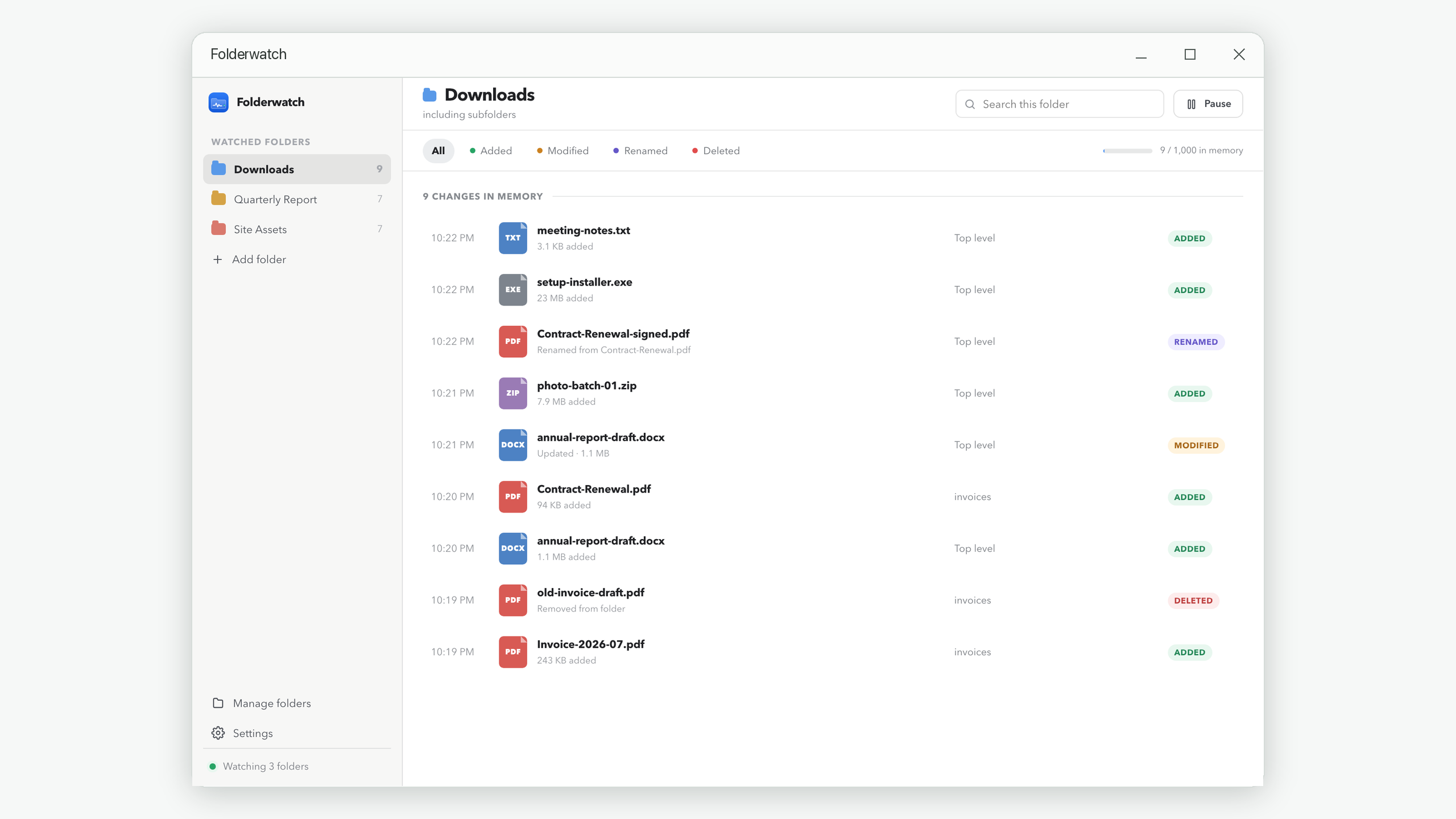
Folderwatch is designed for the moment when a download, installer, sync tool, creative app, or coworker changes a folder and you need a clear account of what happened next.
A busy Downloads folder never buries changes in a quiet project. Add as many folders as you need and pause each one separately.
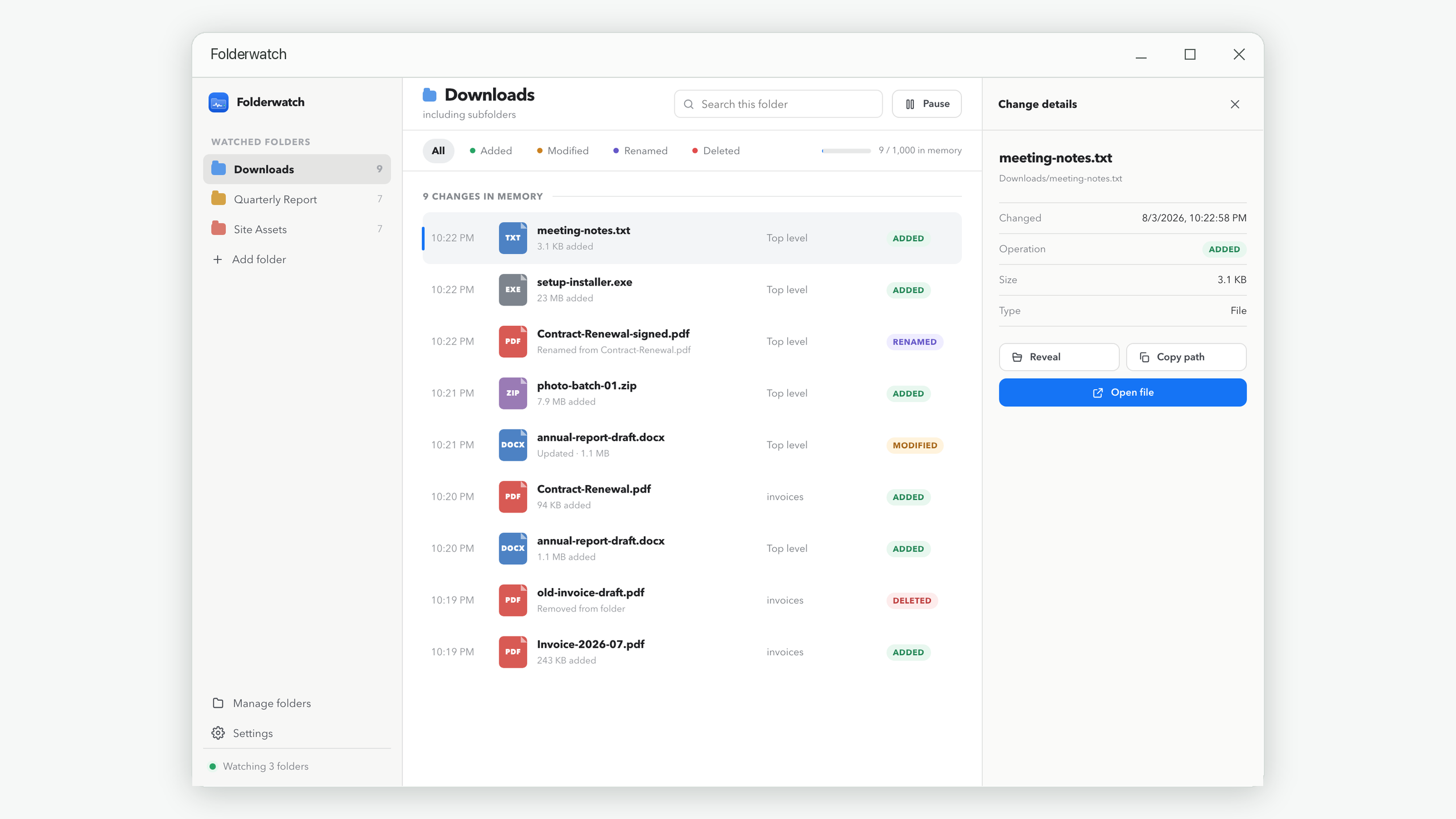
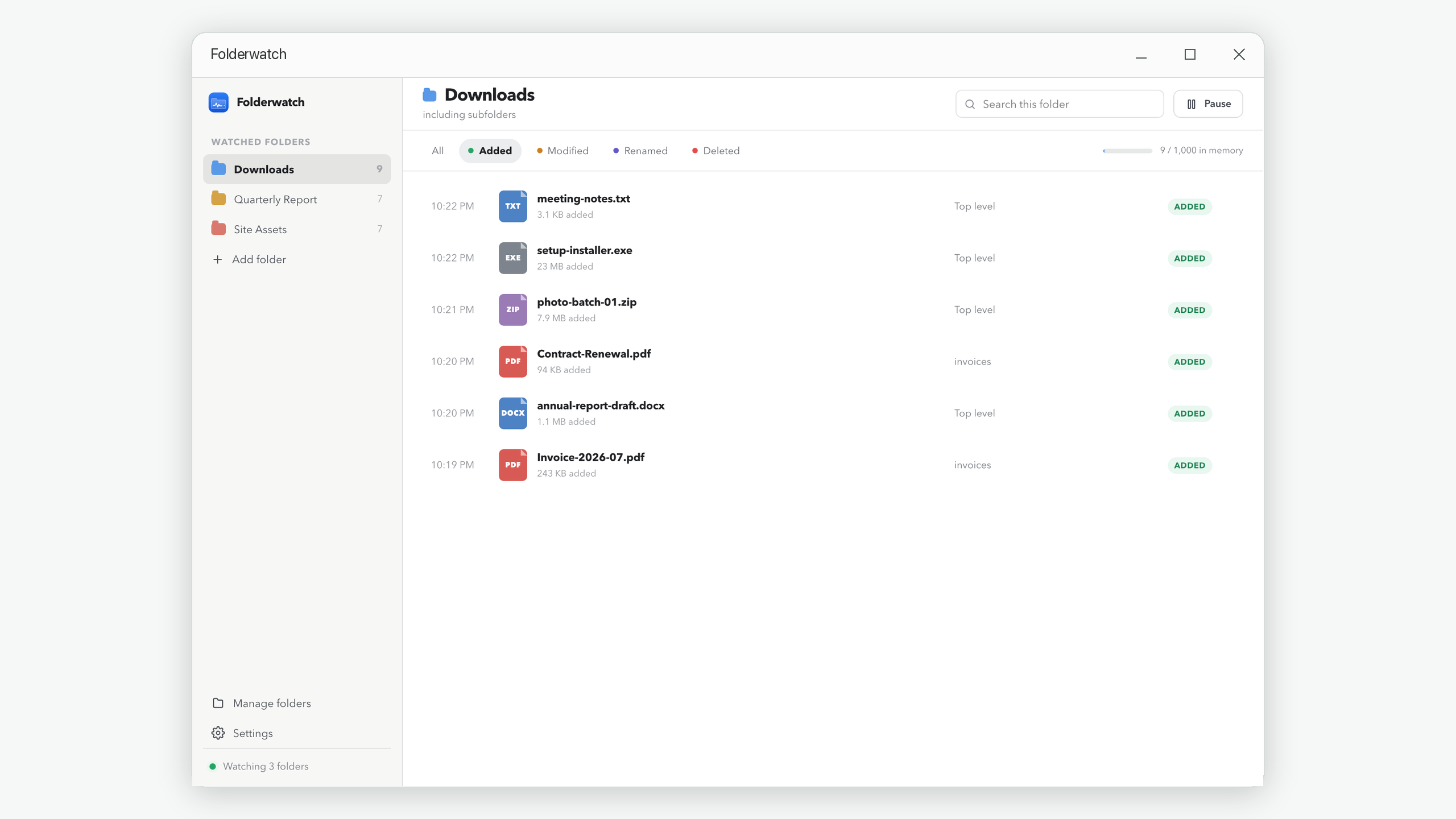
Search by name, filter by change type, inspect details, copy a path, reveal the item, or open it directly.
Activity lives only in memory. Quit the app and every timeline disappears. Only your folder list and preferences remain.
The full timeline tells you when and where. The details panel helps you move from noticing a change to finding the file.
Folderwatch uses the change notifications already provided by Windows. There is no folder scan to schedule and no cloud account to connect.
Choose a folder and whether its subfolders should be included.
Run the download, export, sync, installer, or workflow you are investigating.
Filter, search, and inspect events. Note anything you need before quitting.
These guides solve the wider troubleshooting problem first. Folderwatch appears where a live local timeline genuinely shortens the work.
A repeatable before-and-after method for downloads, exports, installers, and mystery changes.
Read guide → Troubleshooting · 9 minIdentify sync clients, autosave, preview generators, antivirus tools, and temporary-file churn.
Find the cause → Privacy · 8 minChoose between live observation, durable auditing, and version history without confusing their jobs.
Read guide → Checklist · 7 minA compact decision tree for turning a noisy folder into a defensible explanation.
Use the checklist →Common questions
No. It has no cloud service and no analytics. Watching and viewing happen on your own computer.
No. Every folder timeline is held in memory and discarded when you quit. Folderwatch is not a permanent audit log.
Only the watched-folder list and app settings, so the folders can be watched again. Every timeline starts empty.
Folderwatch summarizes a very large burst instead of filling the timeline with thousands of near-simultaneous rows.
Yes. You choose whether a watched folder includes its subfolders when adding it.